
Metka
Intelligent visual organization, powered by on-device AI.

About
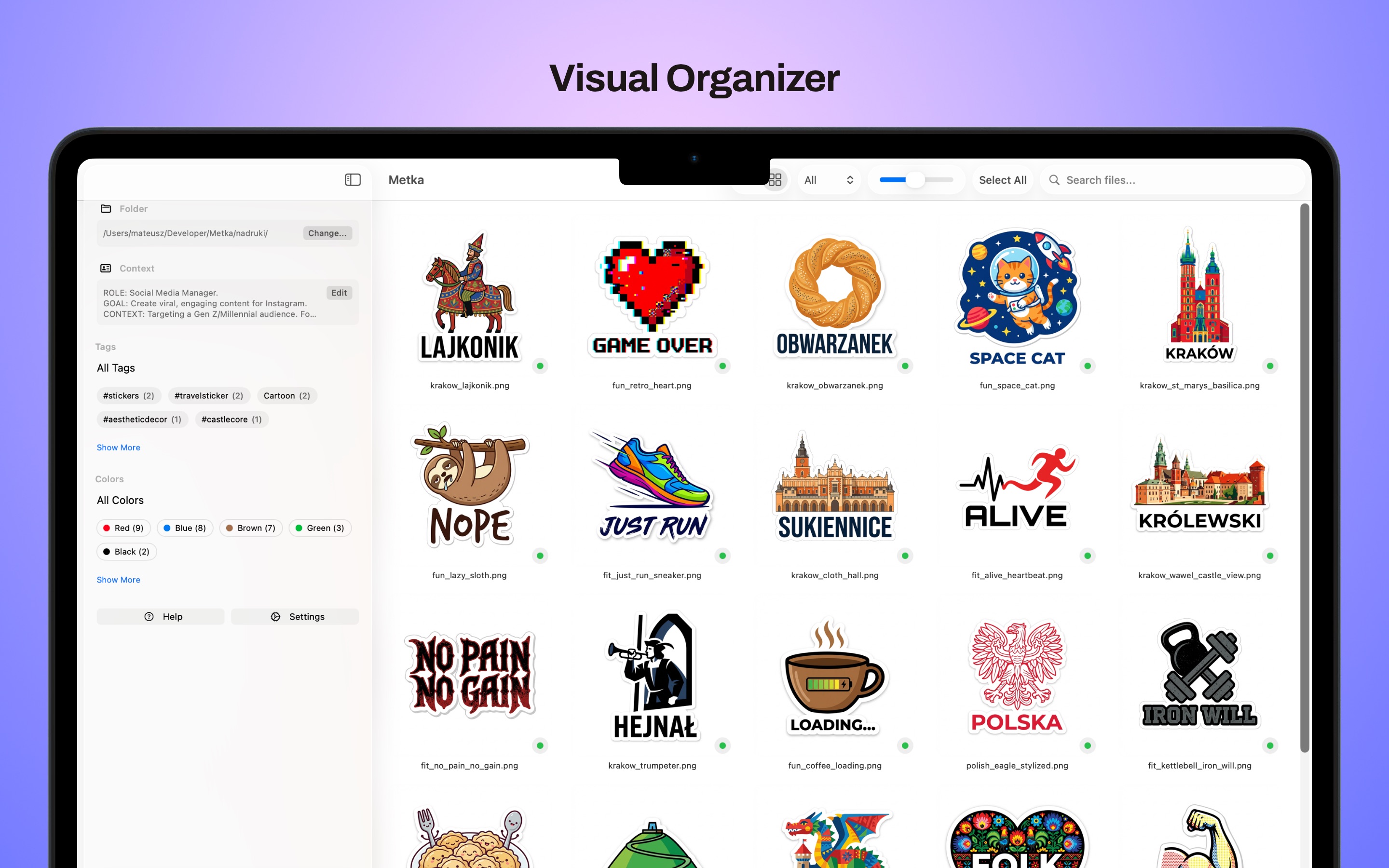
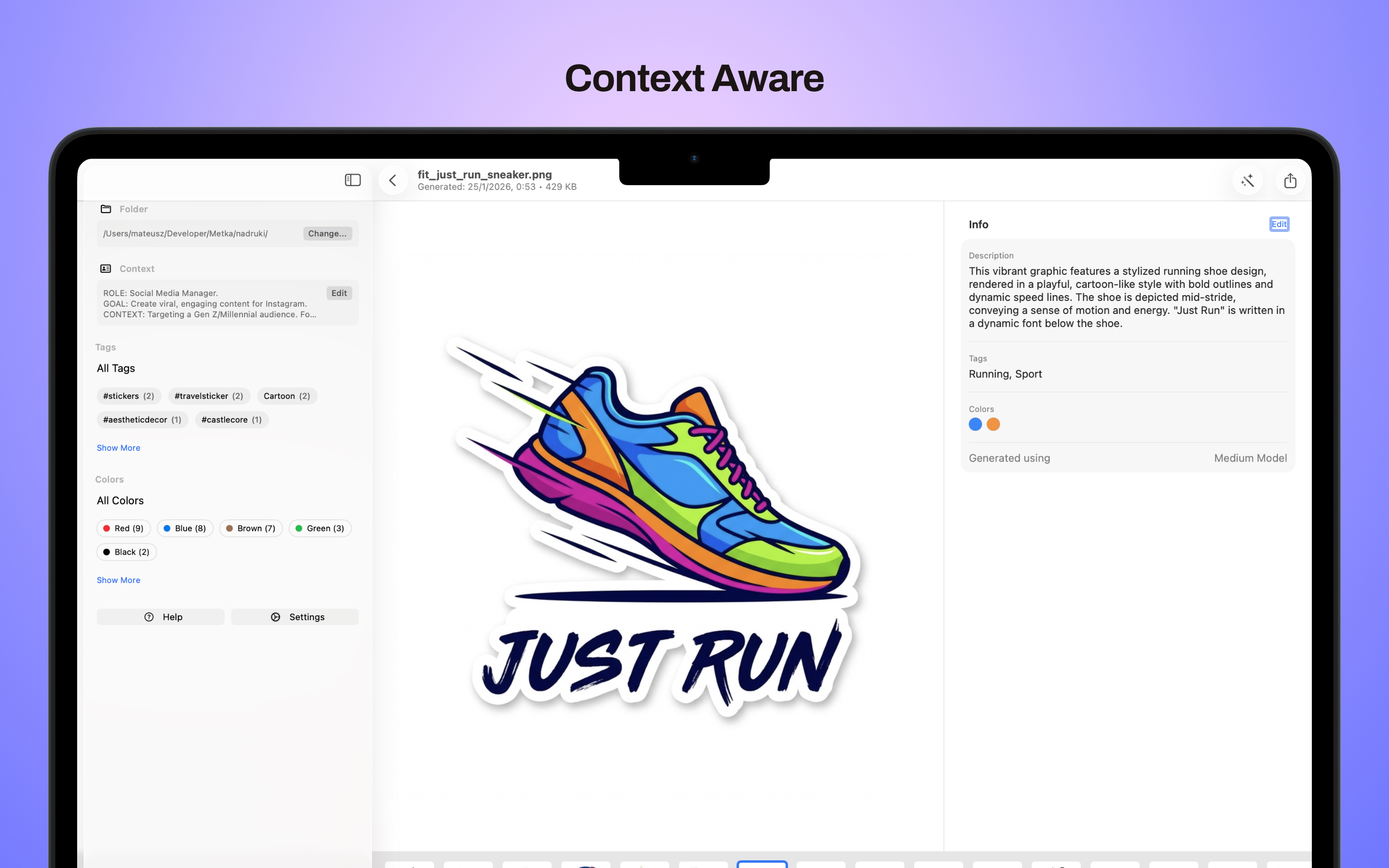
Metka is a macOS app that brings the power of on-device AI to your image library. Drop a folder of images and let Gemma — Google's open-weight vision-language model — analyze each one, generating rich descriptions, semantic tags, and dominant color extraction. All processing happens entirely on your Mac, with zero data leaving your machine.
Whether you're a photographer cataloging thousands of shots, a marketing team organizing product imagery, or a designer building mood boards, Metka adapts its analysis to your specific context through customizable AI prompts and role-based presets.
Key Features
On-Device AI
Powered by Google Gemma 3 running locally via MLX Swift. Choose from Light (4B), Medium (12B), or High (27B) models to match your hardware.
Batch Processing
Analyze entire folders of images in one go. Progress tracking, dock badge updates, and haptic feedback keep you informed throughout.
Color Detection
Automatically identifies dominant colors in each image from a curated palette of 15 colors, enabling powerful visual filtering.
Smart Tagging
AI-generated semantic tags let you search and filter your library by content, not just filenames. Sidebar filtering by tag or color makes discovery effortless.
Customizable Prompts
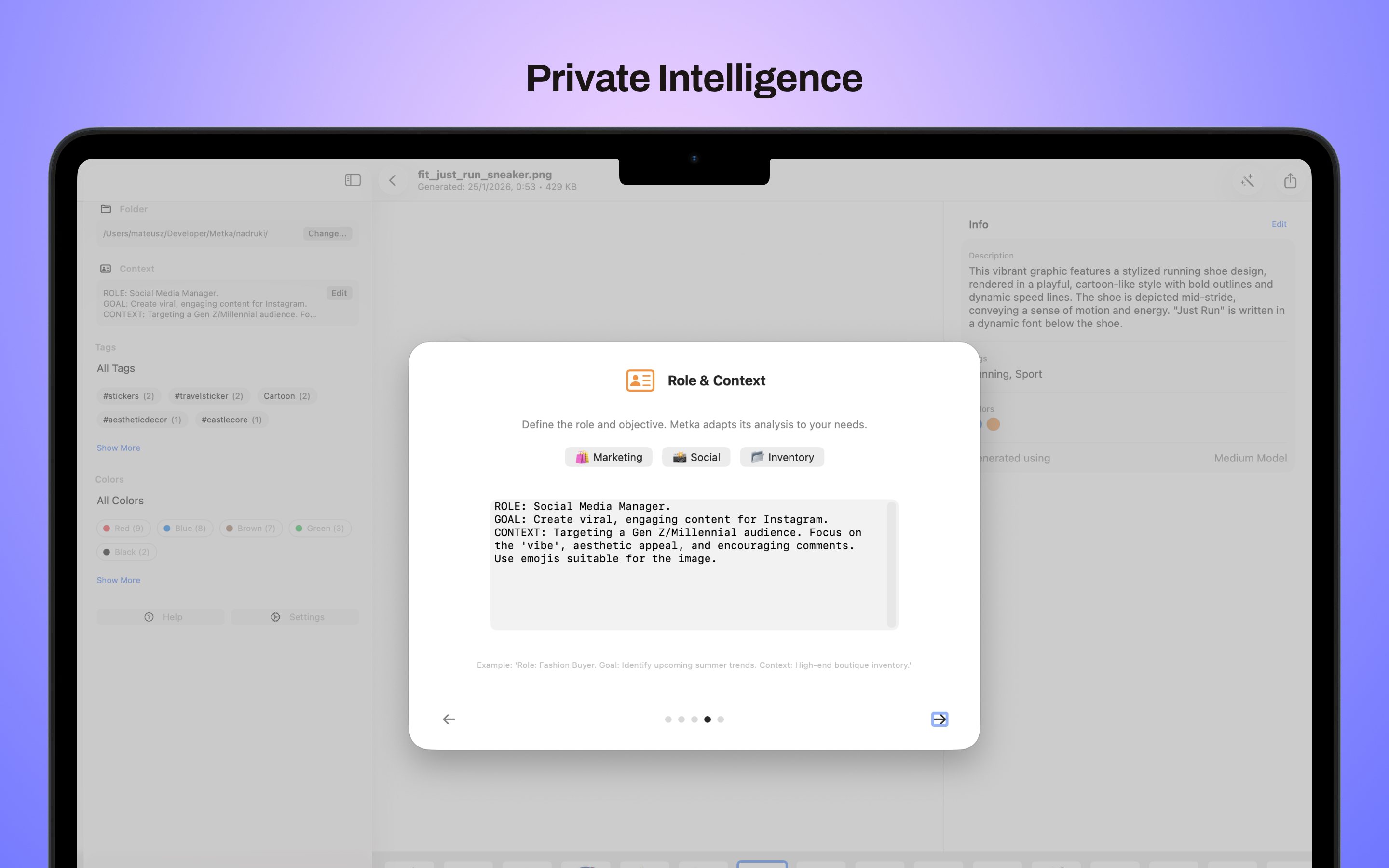
Define the AI's role and context for tailored analysis. Built-in presets for Marketing, Social Media, and Inventory workflows — or write your own.
Completely Private
All processing happens on-device using open-weight models. Your images never leave your Mac — no cloud APIs, no data collection, no compromises.
Screenshots
Privacy Policy
Last updated: February 2026
On-Device Processing
Metka processes all images entirely on your Mac using locally downloaded AI models (Google Gemma 3). No images, descriptions, tags, or any generated metadata are ever sent to external servers or cloud services. Your data stays on your device at all times.
Data Storage
Generated descriptions, tags, and color data are saved as text files alongside your images in a local "Output" folder. Metka does not maintain any separate database and does not collect or store any personal information.
AI Models
Metka downloads open-weight AI models from Hugging Face (mlx-community). This is a one-time download per model. The models run entirely on your Mac's hardware — no cloud inference is used.
Analytics & Tracking
Metka does not include any analytics, crash reporting, or tracking SDKs. The app does not collect usage data of any kind.
Third-Party Services
The only network activity is the initial model download from Hugging Face. After that, Metka functions completely offline. No advertising SDKs or tracking frameworks are included.
Contact
For privacy-related questions, contact us at email.
Support
Need help with Metka? Have a feature request or found a bug? Get in touch.
Contact
For support inquiries, bug reports, or feature requests: email
What Mac do I need to run Metka?
Metka requires Apple Silicon (M1 or later). The Light model (4B) runs well on any M1 Mac with 8 GB RAM. The Medium model (12B) is recommended for M2 Max or newer with 24+ GB RAM. The High model (27B) requires M2 Ultra or M3 Max with 64 GB RAM for optimal performance.
Are my images sent to the cloud?
No — never. Metka uses on-device AI models (Google Gemma 3) via Apple's MLX framework. All analysis happens entirely on your Mac. Your images and generated metadata stay local.
What image formats are supported?
Metka supports all image formats recognized by macOS — including JPEG, PNG, HEIF, TIFF, WebP, and RAW formats from major camera manufacturers.
Can I customize how images are analyzed?
Absolutely. Metka lets you define a custom role and context prompt that shapes how the AI interprets your images. Built-in presets for Marketing, Social Media, and Inventory give you a starting point, or you can write fully custom prompts.